
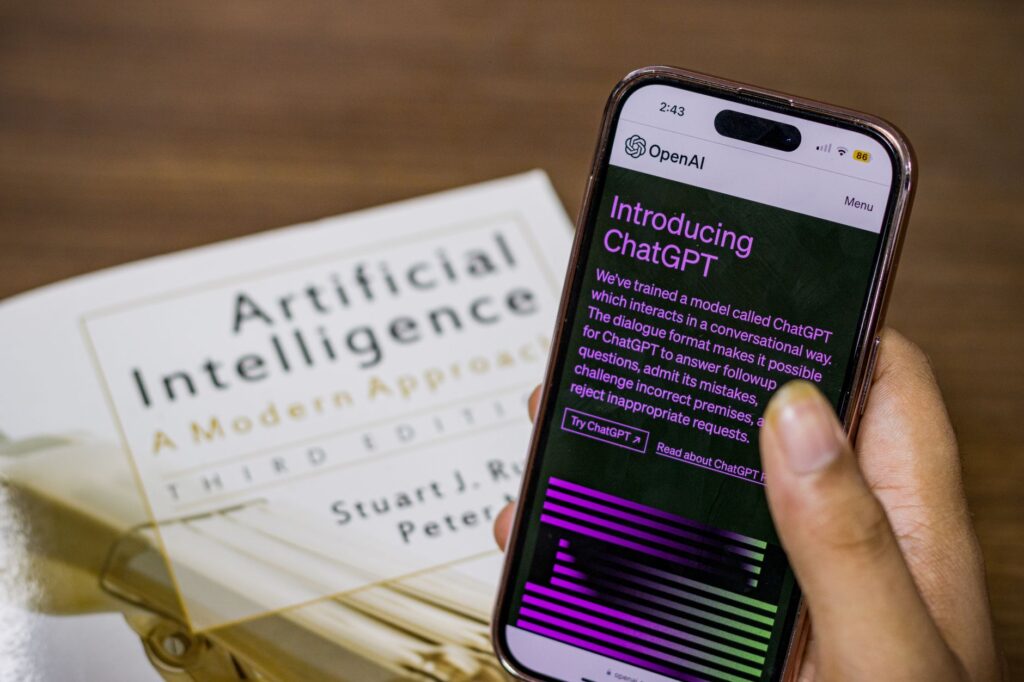
When it comes to Perplexity vs. ChatGPT, there is a lot worth knowing before you get started.
The world of artificial intelligence is moving incredibly fast, and two big names are leading the charge: Perplexity and ChatGPT. If you’re looking to get better at research, make your writing process smoother, or even explore new ways to create content, understanding what these AI powerhouses are good at is pretty important. They both use really smart language models, but their main goals and how they work are quite different, which means you’ll have a different experience with each and they’re best for different things. This article will break down those differences, giving you a straightforward guide to figure out which AI tool will actually help you the most.
The range of AI assistants out there is growing rapidly, with tools like ChatGPT and Perplexity offering some pretty advanced features. ChatGPT, made by OpenAI, has become super well-known. People use it for all sorts of things, like writing text, answering questions, and getting creative. Perplexity AI, on the other hand, calls itself an “answer engine.” It really focuses on being accurate and providing sources for its information, making it more geared towards research. With ChatGPT reportedly having around 900 million weekly active users in 2026 according to Formative Digital, and Perplexity attracting between 34 to 45 million monthly active users in March 2026, also measured by Formative Digital, a lot of people are using these technologies, and that number keeps going up. Knowing their main functions isn’t just a passing interest anymore; it’s actually necessary if you want to use AI effectively.
| Feature | Perplexity AI | ChatGPT |
|---|---|---|
| Primary Focus | Research, factual answers with citations | General-purpose conversation, creative text generation |
| Web Access | Built-in, real-time web searching and indexing | Available in paid versions, but not its core function |
| Citations | Integral to its design, provides sources for answers | Can provide sources if prompted, but not guaranteed |
| Accuracy | Emphasizes accuracy and verification through sources | Accuracy can vary; relies on training data |
| Use Cases | Deep dives into topics, academic research, fact-checking | Brainstorming, writing assistance, coding help, creative writing |
| Interface | Clean, minimalist, with a focus on search results | Conversational, chat-like interface |
| Models Used | Proprietary, with options for different AI models | Primarily GPT-3.5 and GPT-4 |
Unpacking the Core Philosophies: Search-First vs. General Intelligence
At the heart of what makes Perplexity and ChatGPT different are their fundamental design principles. Perplexity, as an “answer engine,” is built to give you information you can trust. It actively searches the web, pulls together information from various places, and then gives you an answer, and importantly, it shows you where it got that information. This “search-first” approach makes it a really useful tool if you need to get to the bottom of something and be sure about where the information came from. Think of it like a super smart librarian who not only finds the book you need but also points out the exact pages and paragraphs that answer your question, and also lists all the other books they checked.
ChatGPT, on the other hand, works with a broader range of natural language processing. While it can access and use information from its massive training data, its main talent is understanding context, creating text that sounds human, and doing a whole lot of language-related tasks. It’s great for creative writing, drafting emails, summarizing long documents, explaining complicated ideas simply, and even writing code. Because it’s so general-purpose, it can be a helpful assistant for many things, but its answers, especially for factual questions, might need more checking and verification compared to Perplexity’s detailed source approach.
Perplexity AI: The Scholar’s Companion for Informed Discovery
Perplexity AI really shines when you need to dig deep into a subject, do research, or check if something is true. Its interface is designed to help with that. When you ask a question, Perplexity doesn’t just give you an answer; it goes on a mini-research mission. It searches the web, finds relevant articles, and then pulls out the main information to put together a clear response. What makes it stand out is how serious it is about being transparent. Every point it makes in its answer usually has a small number next to it that matches a list of sources at the bottom.
This feature is a huge deal for students, researchers, journalists, and anyone who cares about accuracy and wants to know where information comes from. For example, if you’re looking into how renewable energy affects the economy, Perplexity can give you an overview, but more importantly, it will tell you which reports from reputable organizations or academic papers it used to come up with its conclusion. This means you can check the information right away, look deeper into the original sources, and have more trust in what you’re being told. While ChatGPT has a 5.53% SaaS adoption share in Aug. 2026, Perplexity had a significantly smaller 0.28% adoption share according to Cledara data, indicating its more niche, but powerful, appeal in specific workflows.
Use Cases Where Perplexity Dominates
- Academic Research: Perplexity is perfect for students and academics who need to find information for papers, research projects, or theses. Being able to cite sources directly saves a ton of time and keeps academic work honest.
- Journalism and Fact-Checking: For journalists and people who check facts, Perplexity’s focus on verifiable sources is incredibly useful for quickly confirming or denying claims and adding context to their reporting.
- Market Research: Businesses can use Perplexity to gather insights on market trends, see what competitors are doing, and get information from industry reports, all while knowing the data is based on real information.
- Learning New Topics: When you want to really understand a new subject from reliable standpoints, Perplexity can guide you through the important information and point you to trustworthy resources.
ChatGPT: The Creative Powerhouse for Versatile Assistance
ChatGPT, on the other hand, is like a multi-tool for language. Its strength is how adaptable it is and its ability to create different kinds of text based on what you ask. While it can answer factual questions, it really shows its power in what it can generate. If you need to brainstorm ideas for a blog post, write a marketing email, create a poem, fix some code, or even get help understanding a tricky scientific concept, ChatGPT can handle it.
The conversational style of ChatGPT makes it really easy to use. You can go back and forth, refine your requests, and gradually build up to what you want. This makes it a great tool for getting past writer’s block, exploring creative ideas, and speeding up how you create written content. For programmers, its ability to create code snippets, explain programming concepts, and even find bugs can seriously boost their productivity.
Where ChatGPT Truly Shines
- Content Ideation and Drafting: If you’re facing a blank screen, ChatGPT can help you come up with topics, create outlines, and even write initial drafts for articles, social media posts, or marketing material.
- Creative Writing: From fiction stories and poems to song lyrics, ChatGPT can use its language skills to produce imaginative and engaging creative content.
- Coding Assistance: Developers can use ChatGPT to generate code, explain complex algorithms, fix bugs, and even translate code between different programming languages.
- Summarization and Explanation: For long reports, articles, or complicated subjects, ChatGPT can give you short summaries or break down difficult ideas into easy-to-understand explanations.
- Everyday Tasks: ChatGPT can help with writing emails, putting together professional messages, creating social media updates, and a lot of other everyday communication needs.
Comparing Key Features: Beyond the Hype
When we look closer at the features that really matter to users, the differences become even more obvious.
Web Access and Real-Time Information
Perplexity’s main function is its direct connection to the live web. It’s built to grab the latest information and give it to you, meaning it’s always current. ChatGPT’s access to up-to-the-minute information is more tied to its training data’s cut-off point, and in some versions, you might need specific settings or a paid subscription to browse the web effectively. For tasks that need the most current data, Perplexity has a clear edge.
Citations and Verifiability
This is probably Perplexity’s most important distinguishing factor. The clear way it provides sources lets users trust the information and look into where it came from. While you can sometimes ask ChatGPT to provide sources, it’s not a built-in, consistent feature. This makes Perplexity the go-to tool when how accurate the information is and where it originates from are super important.
Model Capabilities
Both platforms use advanced AI models. Perplexity often lets you choose from different underlying models, so you can pick the one that best fits your question. ChatGPT mainly uses OpenAI’s GPT series of models, with GPT-4 being its most advanced offering. How well they perform can differ depending on the task, but both are at the forefront of AI language processing.
Pricing and Accessibility
Both platforms offer free versions with limits and paid subscriptions for more features. Perplexity has a Pro version that provides more advanced capabilities and access to different models. ChatGPT’s free version is widely available, while its paid versions (like ChatGPT Plus) offer faster responses, access to newer models, and extra functions. Deciding which is better value will depend on how you use it and your budget.
Choosing the Right Tool for Your Workflow
Deciding between Perplexity and ChatGPT isn’t about saying one is just “better” than the other. It’s about understanding what each one is good at and matching that to what you need.
When to Reach for Perplexity:
- You’re researching for an academic paper, a business report, or any project where factual accuracy and checking sources are really important.
- You need to quickly understand a complex topic and want to see the evidence behind it.
- You’re a journalist or fact-checker who needs to confirm information with reliable sources.
- You want to stay up-to-date on the latest in a specific field, and you want to clearly see where that information comes from.
When to Turn to ChatGPT:
- You need to brainstorm ideas, get past writer’s block, or create content like stories, poems, or marketing taglines.
- You need help with writing tasks, such as drafting emails, summarizing documents, or rephrasing text to have a different tone.
- You’re a programmer looking for help with coding, debugging, or understanding technical ideas.
- You want a versatile AI assistant for all sorts of conversations and creative tasks, and you’re not as concerned about getting explicit sources for everything.
Integrating AI into Your Daily Routine: Practical Tips
No matter which tool you pick, or even if you decide to use both, using AI effectively in your day-to-day work takes a smart approach.
Define Your Goals
Before you start typing, know what you’re trying to achieve. Are you looking for a quick answer, in-depth research, creative ideas, or help with a specific task? Having clear goals will help you write better prompts and pick the right tool.
Master Prompt Engineering
The quality of what you get from any AI tool is directly related to the quality of what you put in. Learn to write clear, specific prompts that provide good context. For Perplexity, focus on asking precise questions and telling it what kind of information you’re looking for. For ChatGPT, try different ways of phrasing things, give examples, and guide the AI toward what you want.
Verify and Refine
Always treat AI-generated content as a starting point, not the final thing. For factual information from Perplexity, look at the sources it cites to make sure they match what you expect. For content from ChatGPT, always edit, refine, and check facts to ensure accuracy, the right tone, and originality. AI is a powerful helper, but human judgment and oversight are still really important.
Experiment and Explore
The abilities of these AI tools are always getting better. Don’t be afraid to try new features, play around with different kinds of prompts, and explore uses you might not have thought of at first. The more you use these tools, the better you’ll get at using their power.
The Future of AI Assistants: A Synergistic Relationship
The ongoing development of AI tools like Perplexity and ChatGPT points to a future where these technologies become even more woven into our work and personal lives. It’s not really an “either/or” situation but more of a “both/and” opportunity. For many people, the most effective way will be using both tools smartly.
Imagine a process where you use Perplexity to get your initial research done, find key data points, and understand the factual basis of a topic. Then, you could take that information and give it to ChatGPT to help you write an engaging article, create a compelling story, or generate social media content to share your findings. This kind of teamwork lets you use the strengths of each AI tool, making you more productive and improving the quality of your work.
As AI keeps evolving, so will the ways we interact with and benefit from these powerful assistants. Staying informed, trying new things, and having a critical but open mind will be key to navigating this exciting new territory.

I’m an SEO specialist with 7+ years of experience in search engine optimization, digital marketing, content strategy, and AI-powered marketing. I share practical insights on AI tools, SEO, automation, content marketing, and emerging technologies to help businesses and marketers improve their online presence and stay ahead of the latest digital trends.