
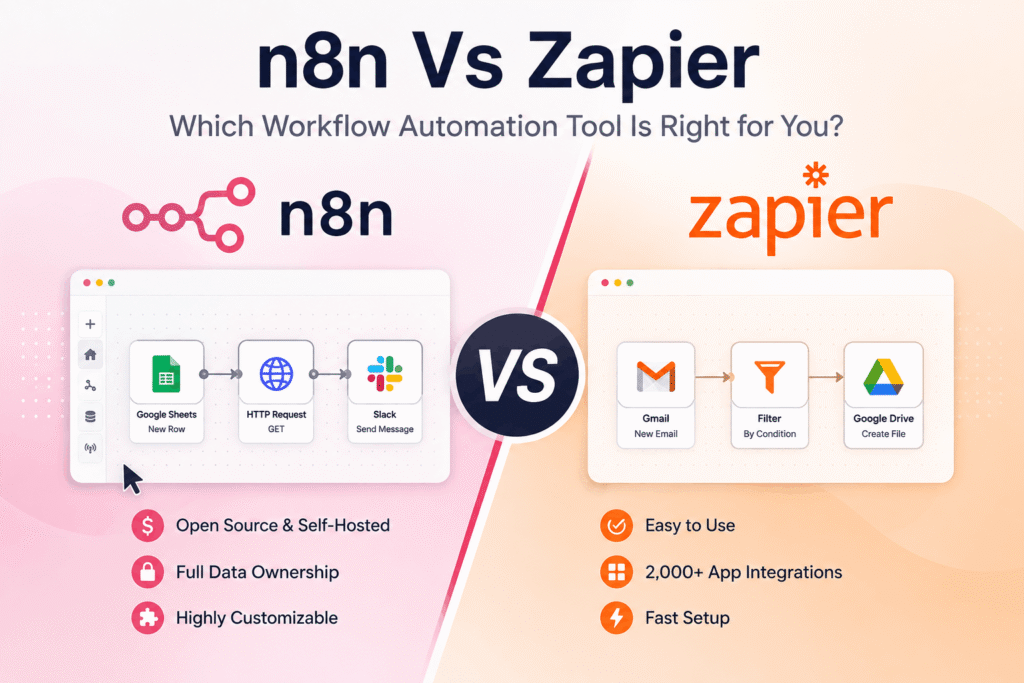
When it comes to n8n vs zapier, there is a lot worth knowing before you get started.
When it comes to making your business run smoother and getting more done, folks are looking more and more at workflow automation tools. These platforms basically act like digital organizers, coordinating tasks across different apps so you can ditch manual work and cut down on mistakes. Right now, two big names in this space are Zapier and n8n, and they each tackle automation a bit differently. Figuring out what makes them tick is key to picking the right one. This article breaks down what each one does well, where they fall short, their pricing, how they connect with other apps, and who they’re best suited for, to help you decide which platform just makes sense for what you do.
| Feature | Zapier | n8n |
|---|---|---|
| Best For | Folks just starting out, small to mid-sized companies, anyone who wants things easy and access to tons of apps. | Developers, people who are good with tech, those who need things tailored exactly how they want and want to host it themselves. |
| Pricing | There’s a free plan. Paid plans go up with how many tasks you run and what features you get. It can get pricey if you do a lot of automation. | It’s open-source and free if you host it yourself. Paid cloud options have different tiers based on how much you use and what features you want. |
| Ease of Use | Really simple to use, with a visual drag-and-drop setup. You barely need to know any code. | Takes a bit longer to get the hang of, especially for tricky workflows. Knowing some coding concepts really helps. |
| Integrations | Loads and loads of pre-built ways to connect with thousands of popular apps. | More and more integrations are available, with a big focus on webhooks and connecting to custom APIs. |
| Customization & Control | You can tweak things a bit, mostly with built-in rules. | You have tons of control to build complex, multi-step workflows and manage exactly how data moves. |
| Hosting | It’s all done in the cloud, a service they manage for you. | You can host it yourself (on your own servers or cloud) or use their cloud service. |
| Community & Support | A big, active group of users, lots of info to read, and help for paid users. | A busy open-source community, good documentation, and paid support options. |
The Core Philosophy: Managed Convenience vs. Open Flexibility
Basically, Zapier and n8n come from two different places when it comes to workflow automation. Zapier is all about “managed convenience.” It’s built to be super easy to use, so anyone can jump in, no matter their tech skills. The platform handles all the backend stuff, like the servers and updates, so you can just focus on building your automations. This makes it a great pick for individuals and smaller companies that want to automate repetitive tasks fast without getting bogged down in technicalities.
Then there’s n8n, which is all about “open flexibility.” It’s an open-source tool that gives users a lot of control and options for customization. This freedom does mean a slightly steeper learning curve, as it’s more aimed at developers or tech-savvy people who like building intricate, perfectly tailored automation sequences. Being able to host it yourself really ramps up that control, letting companies manage their data and infrastructure entirely on their own terms. That’s a big plus for businesses with strict rules about security or data privacy.
Ease of Use: The Zapier Advantage for Beginners
When you just want to get going quickly, Zapier usually wins. Its interface is designed around a visual, drag-and-drop editor that makes building automations, called “Zaps,” pretty straightforward. You pick a trigger app and event, then an action app and event, and just fill in a few simple fields. It’s so intuitive that someone who’s never coded before can build working automations in minutes. Zapier’s huge user base is a testament to how easy it is. You can really see how much it handles when you hear that Zapier’s system runs about 3 billion workflows every single month, according to a comparison article on their own blog. That massive number shows just how capable and reliable it is for everyone.
n8n, while it also has a visual editor, feels a bit more involved. Its node-based system, where each step in a workflow is a “node,” is incredibly powerful and detailed. But, setting up these nodes and understanding how data moves between them can demand a bit more technical know-how. If you’re comfortable with things like APIs, webhooks, and manipulating data, n8n’s interface can be amazing. For complete beginners, though, getting started might feel a bit trickier than Zapier’s simpler path.
Integrations: Breadth vs. Depth and Customization
How many apps an automation tool can connect to, and what kind of apps they are, is super important. Zapier has a massive ecosystem, with connections for thousands of popular applications across all sorts of areas like CRM, email marketing, project management, and social media. This huge list means there’s a really good chance the tools you already use have a direct link to Zapier, making setup a lot easier. For many businesses, Zapier’s sheer number of app connections is a big selling point, letting them automate tasks that involve many different software services.
n8n’s app library is growing, but it tends to focus on solid integrations for key services and a lot of flexibility. A major strength for n8n is how it can connect to pretty much anything using webhooks and its strong support for custom API integrations. So, even if there isn’t a direct connection ready to go, n8n can often be used to link up with less common or custom-built apps. For companies that use niche software or have their own internal tools, n8n’s ability to handle custom integrations can be a huge advantage. It lets users build automations that go beyond what more managed platforms typically offer.
Pricing Structures: Free Tiers, Scalability, and Cost-Effectiveness
When you look at Zapier and n8n’s pricing, you see different models designed for different budgets and how much you plan to use them. Zapier has a free plan that gives you up to 100 tasks each month, which is fine for very light automation or just trying the platform out. But, as your automation needs grow, you’ll probably need to move to paid plans. These plans are structured based on how many tasks (workflow runs) you need and what features you want, like multi-step Zaps or access to premium apps. For businesses that run a lot of automated workflows, Zapier’s pricing can add up quickly. It’s a good idea to carefully estimate how many tasks you’ll use each month to get a handle on potential costs. You can check out Zapier’s pricing details on their pricing page.
n8n works on a totally different basis, being open-source. This means you can download n8n and run it on your own servers for free, giving you unlimited automation runs without ongoing software costs. This is a massive benefit for businesses with lots of automation needs or tight budgets, as long as they have the tech skills to manage the infrastructure. n8n also offers paid cloud versions, which are priced competitively and provide convenience and support without the self-hosting hassle. The pricing for these cloud plans usually scales with usage and features, offering a more predictable cost for those who prefer a managed service but still want something that could be more cost-effective than Zapier when you’re doing a lot.
Self-Hosting vs. Cloud: Control and Infrastructure
The choice between self-hosting and using a cloud service is a big deal when deciding between n8n and Zapier. Zapier is purely a cloud-hosted platform. This means Zapier handles all the servers, security, and infrastructure. For many people, this is a huge plus because it takes away the headache of technical maintenance and ensures the platform is always running and accessible. You don’t have to worry about servers going down or security updates.
n8n, on the other hand, gives you the flexibility of both self-hosting and a managed cloud service. The self-hosted option is especially appealing to businesses that need to keep complete control over their data and infrastructure for security, compliance, or custom needs. It lets you integrate deeply into your existing IT setup. However, self-hosting does require technical staff to get it running, maintain it, and scale it up. The n8n cloud option gives you a smooth, managed experience, much like Zapier, but still keeps the powerful automation features and often a more flexible price for heavier use.
Target Audience: Who is Each Platform Best For?
Given these differences, it’s pretty clear that Zapier and n8n tend to attract slightly different main groups of users, though there can be overlap.
Zapier: The SMB and Non-Technical User’s Choice
Zapier is often the go-to solution for:
- Small to Medium-sized Businesses (SMBs): Companies that need to automate common tasks across their existing tools without needing a lot of IT support.
- Non-Technical Users: Marketing teams, sales folks, administrative staff, and pretty much anyone who wants to automate workflows but doesn’t have a coding background.
- Rapid Prototyping: Quickly setting up automations to test new ideas or fix immediate needs.
- Ecosystem Reliance: Businesses that really depend on a wide range of popular, easily available SaaS applications.
n8n: The Developer and Customization-Focused Platform
n8n really shines for:
- Developers and Technical Teams: Individuals and companies with coding skills who can really make the most of the platform for complex automations.
- Custom Integration Needs: Businesses using less common software or their own private tools that need custom API connections.
- Data Control and Security: Companies with strict rules about data privacy or who prefer to host their own automation infrastructure.
- Complex Workflow Automation: When detailed, multi-conditional logic and precise data handling are super important.
- Cost-Conscious High-Volume Users: Businesses running a huge number of automation tasks where hosting n8n themselves can save a lot compared to managed cloud services.
A recent guide from Peliqan mentioned that n8n has over 230,000 active users, which shows it’s getting more popular, especially with people looking for more advanced control.
Key Features and Capabilities: A Deeper Dive
Beyond the main ideas and how they feel to use, specific features set Zapier and n8n apart.
Zapier’s Strengths
- Vast App Library: Like we said, thousands of connections are ready to go, making it simple to link up with just about any popular service.
- User-Friendly Interface: The visual editor is super intuitive, making it accessible to a

I’m an SEO specialist with 7+ years of experience in search engine optimization, digital marketing, content strategy, and AI-powered marketing. I share practical insights on AI tools, SEO, automation, content marketing, and emerging technologies to help businesses and marketers improve their online presence and stay ahead of the latest digital trends.