
Are you a student who spends hours trying to understand one chapter — only to forget it the next day? Do you struggle with essay writing, research, or staying organized before exams?
You are not alone. Millions of students face the same problems every day.
But here is the good news: in 2026, AI tools for students have become so powerful that you can study smarter, write better, and stay organized — all without spending a single rupee.
In this guide, you will learn exactly which AI tools are worth your time, how to use each one, and how to build a simple daily study routine around them. Whether you are in school, college, or preparing for competitive exams — this guide is for you.
Let us get started.
What Are AI Tools for Students?
AI tools are software programs powered by artificial intelligence. They are designed to understand your questions, generate helpful responses, and assist you with real tasks — like writing an essay, summarizing a book chapter, or solving a complex problem.
Think of an AI tool as a very smart, always-available study partner. It never gets tired, never judges you for asking a “silly” question, and can explain the same concept 10 different ways until you understand it.
For students, AI tools can help with:
- Understanding difficult concepts in simple language
- Writing and improving essays and assignments
- Summarizing long textbooks and PDFs in minutes
- Creating personalized study plans and revision schedules
- Solving maths and science problems step by step
- Finding reliable sources and references for research
- Checking grammar and improving writing quality
- Translating content into your preferred language
The best part? You do not need to pay for most of these features. In 2026, the plans of most AI tools are more powerful than ever before.
Why Should Students Use AI Tools in 2026?
A lot of students worry that using AI is “cheating.” But there is a big difference between using AI as a shortcut and using AI as a learning tool.
When you use AI the right way — to understand concepts better, get instant feedback on your writing, or organize your study materials — it makes you a stronger student, not a weaker one.
Here are three strong reasons to start using free AI tools today:
1. You Get Personalized Help Instantly
In a classroom of 40 students, your teacher cannot give everyone individual attention. An AI tool can. You can ask it to explain a concept at your level, in your language, as many times as you need — with zero judgment.
2. You Save Hours Every Week
Tasks that used to take 2–3 hours — like researching a topic, drafting an essay, or creating revision flashcards — can now be done in 20–30 minutes with the right AI tools.
3. You Build Real Skills
When you use AI to understand topics deeply (not just copy answers), you develop critical thinking, better writing, and research skills that will help you throughout your career.
Top 7 AI Tools for Students in 2026
Here are the best free AI tools that every student should know about in 2026, along with exactly how to use each one.
1. ChatGPT – Best All-Round AI Study Assistant

What it does: ChatGPT is the most popular AI tool in the world. It can explain any topic in simple language, help you brainstorm essay ideas, generate practice questions, summarize complex articles, and even act as a debate partner to help you think critically.
How students use it:
- “Explain photosynthesis like I am 12 years old”
- “Give me 10 practice questions on the French Revolution”
- “Create a 7-day revision plan for my Biology exam”
- “What are the main arguments for and against climate change policy?”
- “Help me improve this paragraph from my essay: [paste your text]”
Free plan: Yes — fully available at chatgpt.com with no time limit
Best for: All subjects, essay writing, concept explanation, exam preparation
Real Example: A college student in Delhi was struggling with organic chemistry for weeks. She asked ChatGPT to explain reaction mechanisms step by step using simple analogies. In 30 minutes, she understood more than she had in 3 weeks of self-study.
2. Google Gemini — Best for Research and Google Workspace

What it does: Gemini is Google’s AI assistant and it works directly inside Google Docs, Slides, Gmail, and Google Search. If you are already using Google tools for school, Gemini makes them 10 times more powerful.
How students use it:
- Open a research paper in Google Docs and ask Gemini to summarize it
- Ask Gemini to create a slide outline for your school presentation
- Use Gemini in Google Search to get direct, sourced answers to research questions
- Draft emails to professors or scholarship committees with Gemini’s help
Free plan: Yes — strong free tier available at gemini.google.com
Best for: Research, presentations, Google Workspace users, essay drafting
3. NotebookLM — Best for Studying Your Own Notes and PDFs
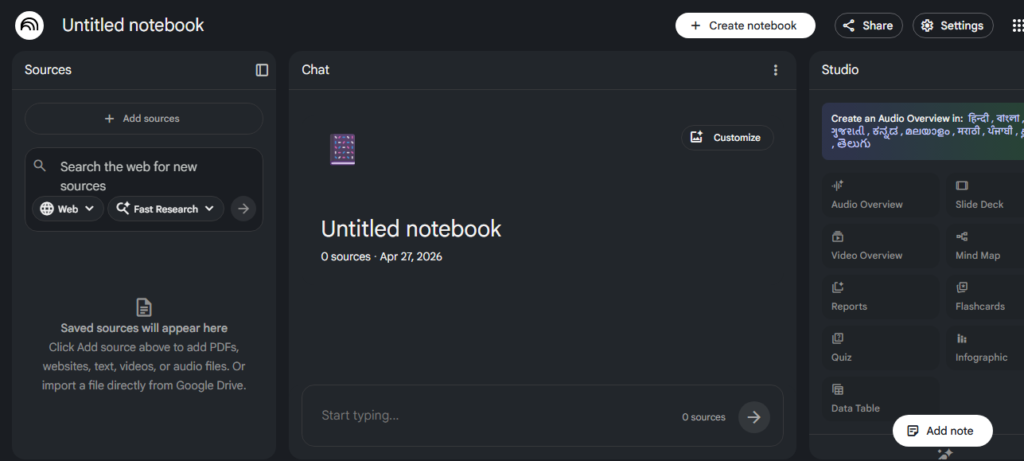
What it does: NotebookLM by Google is one of the most underrated free AI tools for students. You upload your own documents — lecture notes, textbook chapters, research papers — and then have a conversation with them. It answers questions based only on what you uploaded, so the answers are always relevant to your actual syllabus.
How students use it:
- Upload your entire semester’s notes and ask: “What are the 10 most important concepts I should revise?”
- Upload a research paper and ask: “Summarize this in 5 bullet points”
- Ask it to generate practice questions based on your uploaded chapters
- Create an audio overview — NotebookLM can turn your notes into a podcast-style summary
Free plan: Yes — completely free at notebooklm.google.com
Best for: Exam revision, note organization, understanding research papers
4. Perplexity AI – Best for Reliable Research with Sources
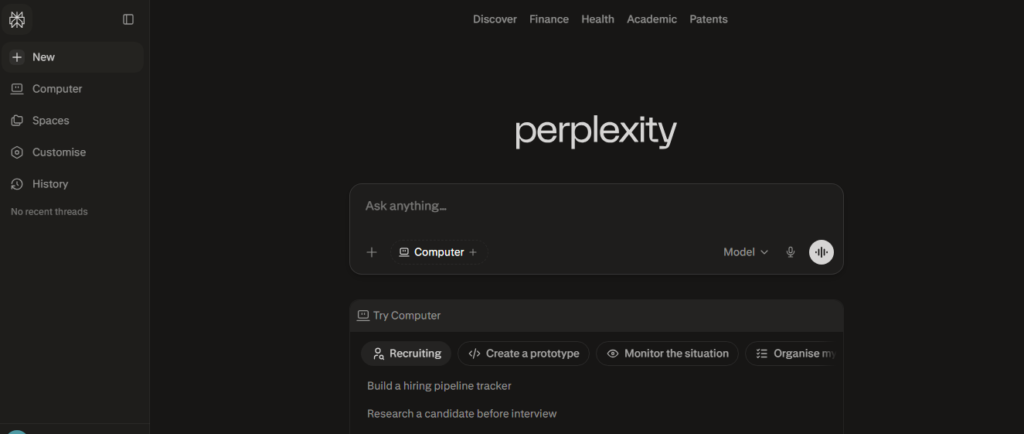
What it does: Perplexity is like a smarter version of Google. Instead of giving you 10 links to click, it reads those pages and gives you a direct, summarized answer — with source links attached so you can verify every fact.
How students use it:
- Research any topic and get a well-sourced summary in seconds
- Find credible references for essays and assignments
- Ask follow-up questions to go deeper on any topic
- Use the “Focus” feature to search only academic papers
Free plan: Yes — unlimited basic searches at perplexity.ai
Best for: Research projects, finding sources, fact-checking
5. Grammarly — Best for Improving Your Written Assignments
What it does: Grammarly is an AI writing assistant that checks your grammar, spelling, punctuation, sentence clarity, and tone. It works inside your browser, Google Docs, and Microsoft Word — so it helps you wherever you write.
How students use it:
- Paste any essay or assignment and get instant error corrections
- Get suggestions to make sentences clearer and more impactful
- Check the tone of emails before sending them to professors
- Use the plagiarism checker to ensure your work is original
Free plan: Yes — grammar, spelling, and basic style checks are completely free
Best for: Essays, assignments, emails, any written communication
6. QuillBot — Best for Paraphrasing and Summarizing
What it does: QuillBot helps you rewrite content in your own words. It is especially useful when you understand a concept but struggle to express it — or when you want to avoid accidental plagiarism in your assignments.
How students use it:
- Paste a complex paragraph and get it rewritten in simpler language
- Summarize a long article into a short paragraph
- Rephrase sentences from your research sources in your own words
- Use the grammar checker alongside paraphrasing for polished writing
Free plan: Yes — paraphraser and summarizer are free at quillbot.com
Best for: Academic writing, research papers, summarizing long content
7. Notion AI — Best for Study Planning and Organization
What it does: Notion is a powerful workspace app where you can keep notes, track tasks, manage projects, and build a personal knowledge base. Its built-in AI can help you draft content, summarize notes, brainstorm ideas, and create structured study plans.
How students use it:
- Build a personal study dashboard with all your subjects, deadlines, and notes in one place
- Use AI to turn rough bullet points into clean, structured notes
- Create a semester-long study planner and track your daily progress
- Build a resource library for each subject with links, notes, and summaries
Free plan: Yes — free for individual use at notion.so
Best for: Organization, productivity, study planning, note-taking
The Ultimate Free AI Study Workflow for Students
Now that you know the tools, here is exactly how to combine them into a powerful daily study routine:
- Plan your week using Notion AI — create your study schedule, list your topics, and set daily goals
- Research your topic using Perplexity AI — get sourced summaries and find credible references in minutes
- Organize your materials in NotebookLM — upload your notes and PDFs so you can chat with them during revision
- Understand difficult concepts with ChatGPT — ask it to explain anything in simple terms and quiz you afterward
- Write your assignment or essay with ChatGPT’s help — use it for outlines and brainstorming, then write yourself
- Polish your writing with Grammarly — fix grammar, improve clarity, check tone
- Paraphrase and refine with QuillBot — make sure your writing sounds like you, not a copy-paste
This entire workflow costs you exactly zero rupees. And it can save you 5–10 hours every week.
Pro Tip: Use AI as Your Personal Tutor — Not a Cheat Code
The single most important thing to remember about using AI as a student:
Never copy AI output directly into your assignment.
Instead, use AI to understand — then write in your own words. This is how you build real knowledge that stays with you for years, not just enough to pass tomorrow’s test.
Here is a powerful study prompt you can use with ChatGPT:
“Explain [topic] in simple terms, as if I am a complete beginner. Then give me 5 questions to test whether I understood it. After I answer, tell me what I got right and what I need to improve.”
This turns ChatGPT into an interactive tutor that teaches, tests, and gives you feedback — all in one conversation. Students who use this method consistently report understanding topics 3x faster than traditional reading.
Quick Comparison: Which Free AI Tool Is Right for You?
| Your Need | Best Free Tool | Website |
|---|---|---|
| Understand any topic easily | ChatGPT | chatgpt.com |
| Research with source links | Perplexity AI | perplexity.ai |
| Study your own notes & PDFs | NotebookLM | notebooklm.google.com |
| Fix grammar and writing | Grammarly | grammarly.com |
| Paraphrase and summarize | QuillBot | quillbot.com |
| Google Docs & Slides help | Google Gemini | gemini.google.com |
| Study planning & organization | Notion AI | notion.so |
Conclusion: Your AI-Powered Study Journey Starts Today
There has never been a better time to be a student. In 2026, you have access to powerful free AI tools for students that were once only available to researchers and professionals — and all of them are available right now, for free.
Here is a simple action plan to get started today:
- ✅ Sign up for ChatGPT at chatgpt.com
- ✅ Install the Grammarly browser extension
- ✅ Create a free NotebookLM account and upload your latest study notes
- ✅ Use Perplexity AI for your next research task
- ✅ Build your study planner in Notion
Start with one tool. Get comfortable. Then add more to your routine. Within two weeks, you will notice a real difference in how much you understand, how fast you study, and how confident you feel about your work.
The students who use AI wisely today will be the professionals who lead tomorrow.
Ready to go deeper into the world of AI? Read these guides next:
- What is Artificial Intelligence? A Complete Beginner’s Guide
- How Does AI Work? A Simple Explanation for Beginners
- Human Intelligence vs Machine Intelligence: Key Differences Explained
Frequently Asked Questions (FAQs)
Q1. Are these AI tools completely free for students?
Yes — all 7 tools mentioned in this guide have strong free plans that are more than enough for most students. Some tools like Grammarly and QuillBot offer premium upgrades, but the free versions cover the most important features. You do not need to pay anything to get started.
Q2. Is using AI tools considered cheating in school or college?
It depends on how you use them. Using AI to understand a concept, improve your writing, or organize your notes is not cheating — it is smart studying. Submitting AI-generated content as your own original work without disclosure can be a problem. Always use AI as a learning assistant, not a replacement for your own thinking.
Q3. Which AI tool is best for exam preparation?
ChatGPT and NotebookLM are the best for exam preparation. Use ChatGPT to explain topics and generate practice questions. Use NotebookLM to upload your syllabus and study notes, then quiz yourself by chatting with your documents. Together, they make a powerful exam preparation system.
Q4. Can I use these AI tools on my mobile phone?
Yes! All of these tools work on mobile browsers, and most of them — including ChatGPT, Grammarly, and Notion — have dedicated Android and iOS apps. You can study and use AI tools from your smartphone without any problems.
Q5. Do I need to create an account to use these tools?
Most tools require a free account with your email address. ChatGPT, Gemini, NotebookLM, Grammarly, QuillBot, Perplexity, and Notion all offer free sign-up. Creating an account also lets you save your conversations and notes for future use.
Q6. Can AI tools help with subjects like Maths and Science?
Absolutely. ChatGPT can solve maths problems step by step and explain the reasoning at each stage. Perplexity can find scientific resources and explanations. For complex calculations, you can also try tools like Wolfram Alpha alongside ChatGPT for the best results.
Q7. What is the best AI tool for writing essays?
Use ChatGPT to brainstorm ideas and create an outline. Then write the essay yourself. After writing, use Grammarly to fix grammar and improve clarity, and QuillBot to refine any sentences that feel awkward. This three-step combination produces the best essay results.
Q8. Are AI tools safe for students to use?
Yes, all the tools listed here are from reputable companies — Google, OpenAI, Grammarly, and Notion. They are safe to use. However, avoid sharing personal or sensitive information (like your Aadhaar number or bank details) with any AI tool. Use them only for educational content.
Q9. How much time can AI tools actually save me?
Students who use AI tools regularly report saving 5–10 hours per week on average. Tasks like summarizing chapters, drafting essay outlines, finding research sources, and fixing grammar — which used to take hours — can now be done in 15–20 minutes each.
Q10. Where should I start if I have never used an AI tool before?
Start with ChatGPT. It is the most beginner-friendly and versatile AI tool available. Go to chatgpt.com, create a free account, and start by asking it to explain a topic you are currently studying in school or college. Once you are comfortable with ChatGPT, add Grammarly for your writing and NotebookLM for your notes.

I’m an SEO specialist with 7+ years of experience in search engine optimization, digital marketing, content strategy, and AI-powered marketing. I share practical insights on AI tools, SEO, automation, content marketing, and emerging technologies to help businesses and marketers improve their online presence and stay ahead of the latest digital trends.